Security Camera Rules and Best Practices for Liquor Stores
Liquor stores present a unique security challenge. They often handle cash, carry high-value inventory, operate late hours, and may face theft, robbery, shoplifting, employee incidents, and liability claims.
Security cameras are an important part of protecting the business—but installing cameras isn’t simply about putting a few cameras above the registers.
Depending on your state, municipality, licensing requirements, and whether audio is being recorded, different laws or regulations may apply. Beyond those requirements, there are several surveillance practices every liquor store owner should consider.
1. Know Your Local Requirements
There is no single surveillance-camera rule that applies to every liquor store in the United States.
State laws, city ordinances, liquor licensing authorities, and sometimes individual licensing conditions can affect surveillance requirements.
Some jurisdictions may specify camera coverage, recording retention, image quality, or the ability to provide footage to authorities.
Before installing a system, liquor store owners should verify the requirements applicable to their specific location and liquor license.
2. Cover the Areas That Actually Matter
Having cameras doesn’t necessarily mean you have adequate coverage.
For liquor stores, we generally recommend evaluating:
- Entrances and exits
- Checkout/POS areas
- Cash registers and cash-handling areas
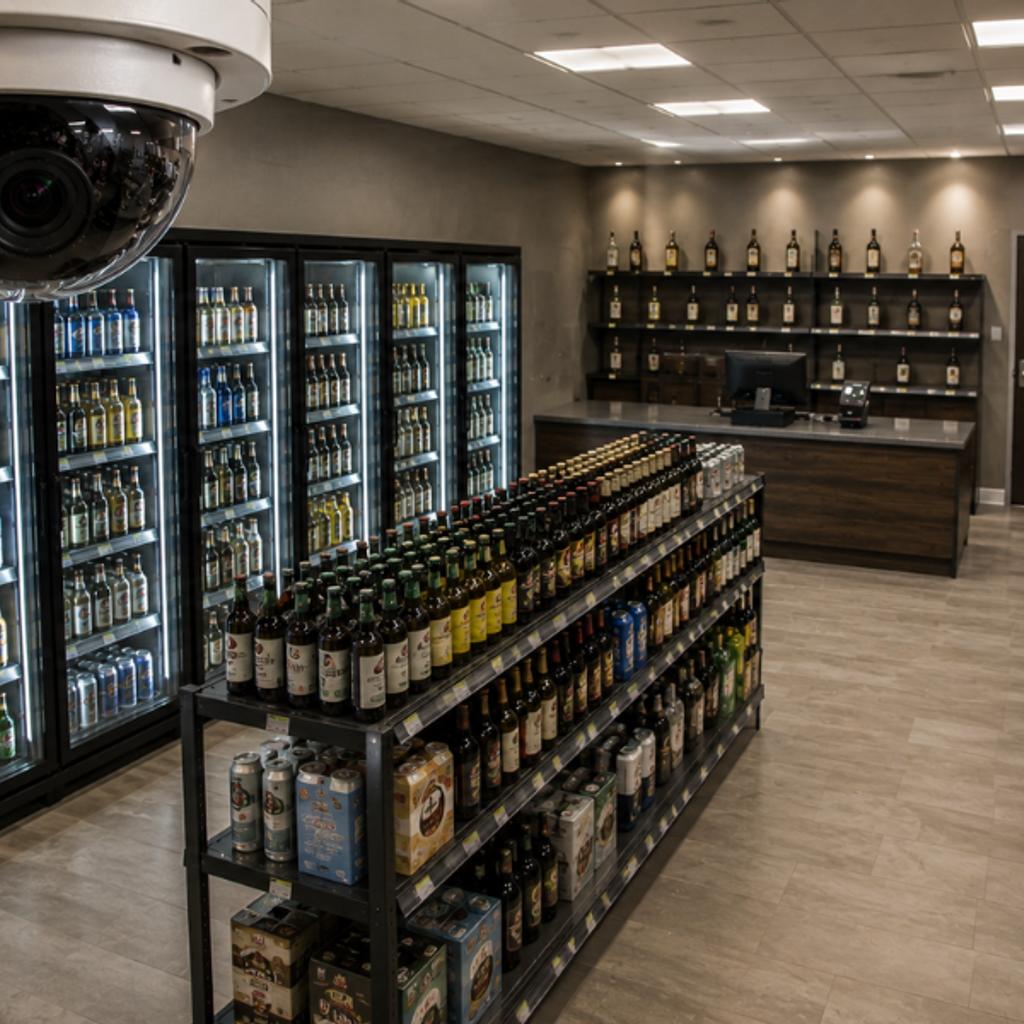
- Liquor aisles and high-value inventory
- Stockrooms and receiving doors
- Employee-access areas
- Exterior entrances
- Parking lots and delivery areas
Camera placement should allow useful identification—not simply show that “someone was there.”
At VBTRONICS, we often look at the property from an incident-investigation perspective: If something happens here, what footage would the owner or police actually need?
3. Don’t Forget Image Quality
A camera that captures a blurry face isn’t much help after a robbery or theft.
Resolution is important, but so are lighting, camera angle, lens selection, mounting height, frame rate, and distance from the subject.
Entrances can be especially challenging because bright sunlight behind a customer can make facial identification difficult without properly selected and configured cameras.
For exterior areas, low-light performance can be just as important as resolution.
4. Be Careful With Audio Recording
Video and audio are not necessarily treated the same way under the law.
Audio recording can trigger additional federal and state privacy and consent requirements.
A camera having a built-in microphone does not automatically mean that microphone should be enabled.
Before recording conversations, businesses should understand the laws that apply in their jurisdiction and obtain legal guidance when necessary.
5. Respect Areas Where Privacy Is Expected
Cameras should not be installed in areas where individuals have a reasonable expectation of privacy, such as restrooms.
Employee surveillance can also raise additional privacy and employment-law considerations depending on camera placement and jurisdiction.
The objective should be legitimate security and loss prevention—not unnecessary surveillance.
6. Plan Your Recording Retention Before an Incident
A store owner may discover missing inventory today but need to determine what happened several weeks ago.
If the recorder only retained a few days of footage, the evidence may already be overwritten.
Retention should be designed around applicable requirements and the store’s actual risk.
Depending on camera count, resolution, frame rate, recording configuration, and storage capacity, a system might be designed for 30, 60, 90 days or another appropriate retention period.
Storage should be calculated—not guessed.
7. Protect the Recorder Too
One mistake we’ve seen is putting the NVR or recorder somewhere easily accessible.
If someone breaks into the store and steals the recorder along with the merchandise, the business may lose the evidence too.
Recorders and network equipment should be installed in an appropriate secured location. Depending on the risk level, businesses may also consider restricted rack access, redundant storage, cloud backup, or other methods of protecting critical footage.
8. Secure Remote Camera Access
Most modern liquor-store surveillance systems allow owners to view cameras from a phone or computer.
That’s convenient—but it also makes cybersecurity important.
Default passwords should be changed. User accounts should have appropriate permissions. Firmware should be maintained, and multi-factor authentication should be used when supported.
A security camera system should protect your business, not create another way into your network.
9. Consider Integrating Cameras With the Alarm System
Cameras are primarily evidence unless something causes a response.
For higher-risk liquor stores, surveillance can potentially be combined with intrusion detection, panic buttons, access control, AI analytics, video verification, active deterrence, or remote monitoring.
For example, an after-hours person detected near a rear entrance can be very different from simply discovering the next morning that someone broke in.
The goal is to move from:
“Let’s see what happened.”
to:
“Something may be happening right now.”
10. Make Sure the System Is Actually Recording
One of the worst times to discover a failed hard drive or offline camera is after an incident.
Periodic maintenance should verify:
Camera online → Correct view → Correct date/time → Recording → Playback → Storage health → Remote access
We’ve encountered systems that displayed live video perfectly but weren’t recording correctly.
A live picture on a monitor does not guarantee that usable evidence is being stored.
The Bottom Line
For liquor stores, a surveillance system should do more than put cameras on the ceiling.
It should provide useful identification, proper coverage, adequate retention, secure recording, reliable playback, and an appropriate response strategy while respecting applicable privacy and surveillance laws.
At VBTRONICS, we approach liquor-store surveillance by looking at the complete environment—from the front entrance and POS area to inventory, receiving doors, network infrastructure, recording storage, intrusion detection, and exterior security.
Because the important question isn’t:
“How many cameras do I need?”
It’s:
“If something happens in my store, will my security system give me the evidence—and the response—I need?”
VBTronics provides commercial video surveillance, intrusion alarm, panic/hold-up solutions, access control, structured cabling, networking, and integrated security solutions.
For a liquor store security assessment or surveillance system evaluation, contact VBTronics at 224-223-7381 or info@vbtronics.com.
This article provides general security information and is not legal advice. Surveillance, audio-recording, privacy, and liquor-license requirements can vary by jurisdiction. Businesses should verify requirements applicable to their location.
Recent Posts
-
 Security Fog Systems: A Powerful Defense Against Smash-and-Grab Theft
 -
 Building a Safer, More Connected Tomorrow: VBTRONICS Security & Communication Solutions
 -
 Construction Site Security with Remote Guarding & Solar Surveillance
 -
 Construction site Off Grid Solution
 -
 Operation CameraSwarm: Over 14,000 Compromised Cameras Highlight the Need for Hardened Commercial Security Infrastructure